Local Weather: Live & Hourly
HLIMATE INNOVATIONS PRIVATE LIMITEDWeather
4.250.00 Reviews
- Version
- 1.0.30
- Installs
- 100.00K
- Age Rating
- Everyone
Screenshots
Our Review of Local Weather: Live & Hourly
 Analysis by Appyee
I started using Local Weather: Live & Hourly because I wanted a straightforward way to check conditions before leaving home, not another app that turns a simple forecast into a maze of cards and menus. After spending time with it, I found its strongest role is as a practical household weather reference: one person can check the morning outlook, another can look at the next few hours before commuting, and everyone can make a quicker decision about rain, heat, or changing conditions.
This is a free weather app from HLIMATE INNOVATIONS PRIVATE LIMITED. It is rated for Everyone, runs on Android devices using version 7.0 or later, and its current version is 1.0.30. The app has reached over 100 thousand installs, with a 4.2 average from roughly 976 ratings and about 50 written reviews. Those figures suggest a useful level of adoption, while still leaving room for my own experience to matter more than popularity alone.
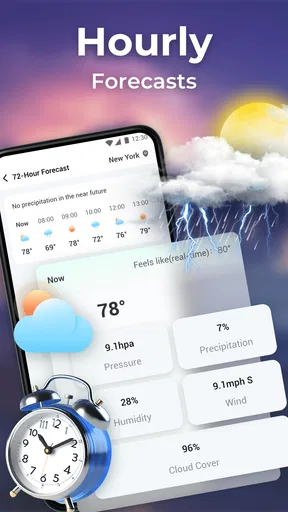
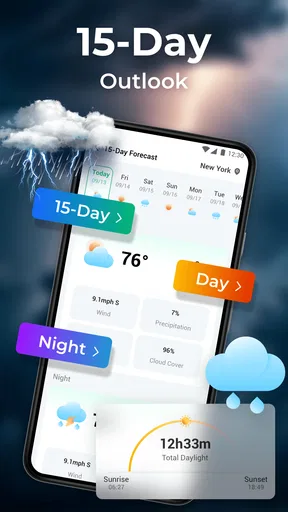
The central idea is easy to understand: use local information for the immediate outlook, then look further ahead for daily planning. The app focuses on a 72-hour view, daily forecasts, and alerts for extreme weather. That combination makes it more useful than a single “will it rain today?” screen, especially when several people in the same home need to coordinate around school, work, errands, or outdoor plans.
How Local Weather works in a shared household
I find a shared household setup works best when everyone treats the app as a common starting point, then checks the relevant location and forecast period before making plans. That small habit can prevent a home forecast from being mistaken for conditions at work, school, or a destination across town. It also gives the next section room to focus on how a household can coordinate decisions without turning weather checks into a stream of forwarded screenshots.
A useful morning routine for several people
My favorite way to use the app is as part of a short morning routine. Before anyone leaves, I check the immediate forecast and then the broader daily view. That helps answer different questions without mixing them together: whether I need an umbrella in the next few hours, whether a bicycle trip is sensible later, and whether an outdoor plan should be moved indoors.
That distinction matters in a shared home. One person may be heading to work soon, while another is planning an afternoon appointment and someone else is collecting children from school. A daily forecast alone can be too vague for the first trip of the day. A short-range view alone can be too narrow for the rest of the household. Local Weather: Live & Hourly is at its best when I use both time horizons together.
I would not treat the app as a household command center, because it is still a weather tool rather than a family scheduling service. It does not replace a shared calendar, group chat, or personal discussion. What it can do is provide a common reference point. Instead of each person checking a different source and comparing conflicting layouts, we can look at the same local forecast and make a decision from there.
One realistic use case: planning a busy day
Imagine a weekday with a morning commute, a midday delivery, and an evening walk. I would first check the near-term weather for the commute, then scan the rest of the day for a shift in conditions. If the forecast looks comfortable early but more unsettled later, that changes how I plan the walk and whether I carry a light outer layer.
The practical insight is to check the app at decision points rather than constantly refreshing it. A forecast is most valuable immediately before an activity that depends on the weather. Checking once after waking, again before leaving work, and once before an evening outing creates a useful rhythm without allowing the app to dominate the day.
For a household, this also reduces unnecessary back-and-forth. A parent can check conditions before agreeing to an outdoor activity, a roommate can decide whether laundry should be put outside, and a partner can judge whether a longer commute is worth taking. None of these decisions requires complicated weather expertise; they require information presented at the right time.
What the 72-hour view adds
The 72-hour forecast is particularly helpful for short planning windows. It is long enough to look beyond today but short enough to remain relevant for immediate arrangements. I find it more practical for deciding about a weekend visit, a short trip, or an outdoor task than a distant forecast that may change several times before the event.
There is an important trade-off here. A three-day outlook is useful for preparation, but I would not treat it as a promise. I use it to identify whether a plan deserves a backup, not to make a rigid commitment. If the app suggests that conditions may become difficult later in the period, I keep the plan flexible and check again closer to the time.
This is one of the app’s less obvious strengths: it encourages better timing decisions when used carefully. The forecast is not just something to read; it can help me decide when a forecast is reliable enough for a casual plan and when I should wait for a later check.
Alerts and the boundary between useful and distracting
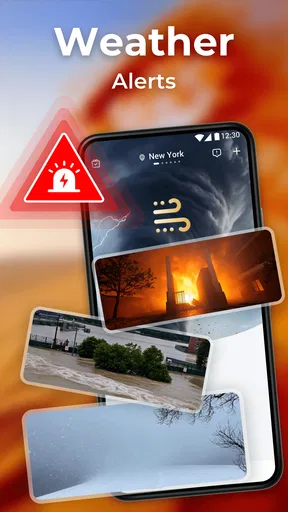
Extreme weather alerts can be valuable when conditions may affect safety, travel, or outdoor work. They give the app a more important role than a decorative temperature display. In a household, an alert may prompt someone to check on a planned journey, bring equipment indoors, or contact another person who is currently outside.
At the same time, I prefer to treat alerts as prompts to pay attention, not as complete instructions. If an alert appears, I would still read the surrounding forecast and use sensible judgment about the exact location and activity. A notification can tell me that conditions deserve attention, but it cannot decide whether a particular road, neighborhood, or route is safe for me.
That is also why I would not install the app on every shared device automatically. One carefully chosen device can be enough for a household reference, while the people who travel independently may prefer to check weather on their own phones. The right arrangement depends on who needs immediate information and who only needs occasional updates.
Setting it up without blurring personal boundaries
On a shared phone or tablet, I would begin by choosing a neutral place for the app and agreeing that it is a common reference rather than someone’s private diary. Weather information is naturally less sensitive than messages or personal accounts, but shared-device habits still matter. Everyone should know which location is being viewed and whether the device is being used for a quick household check or for one person’s travel planning.
I also recommend separating the idea of “the home forecast” from “my destination forecast.” A household may have one local area that matters to everyone, but a commuter, student, or caregiver may need conditions somewhere else. Mixing those purposes can lead to the wrong conclusion. Before acting on a forecast, I check that the displayed location matches the activity I am planning.
This simple boundary prevents a common mistake: assuming that a forecast useful for the house also applies to a workplace, campus, airport, or nearby town. Weather can change across a short distance, so the app is most helpful when I treat location selection as part of the setup rather than an afterthought.
Account expectations and shared use
I approach Local Weather: Live & Hourly as a lightweight utility, not as a platform that requires a household identity. That makes it easy to introduce to other people, but it also means I would not expect advanced account-based coordination. If several family members need personalized places, each person should check their own device or agree on which location is currently being used.
For a shared tablet, I would keep the arrangement simple: use it for the home area, leave it in an accessible place, and avoid presenting it as the definitive answer for every destination. For individual phones, the app makes more sense as a personal check before commuting or going outdoors. This approach respects account boundaries without inventing a family-management system the app is not designed to provide.
Another practical point is that the free price lowers the barrier to trying it. A household can evaluate whether the forecast layout and alerts fit its routine without committing money. That is helpful for people who already use a familiar weather service and want to compare the experience before changing habits.
Coordinating decisions instead of forwarding forecasts endlessly
Weather apps can create noise when people repeatedly send screenshots or quote different temperatures without explaining what they are deciding. I get more value from the app when I connect the forecast to a specific question: Should we leave earlier? Is the park still a good idea? Do we need a backup plan? That makes the information actionable.
For shared use, I would encourage one person to check the relevant period and summarize the decision in plain language. For example, instead of announcing every forecast detail, say that the morning looks suitable for the planned walk but the later period deserves a backup. This keeps coordination focused and avoids making everyone interpret the same screen independently.
The app’s short-range and daily views support this kind of conversation because they address immediate and broader planning separately. I would use the near-term information for departure decisions and the daily forecast for arrangements that can still be moved. That division is more useful than treating every forecast value as equally important.
When another weather option may be better
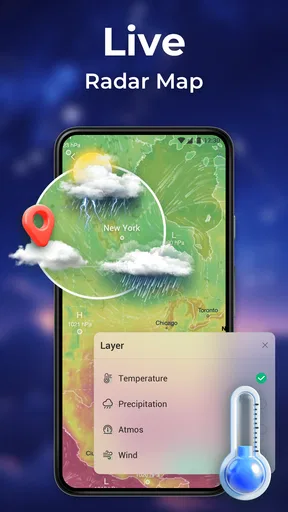
I see Local Weather: Live & Hourly as a focused alternative to larger weather platforms. If I want a broad ecosystem with maps, radar layers, extensive widgets, or deep customization, I may prefer a more established all-in-one weather service. Those tools can be better for storm tracking, travel across multiple regions, or users who want many visual layers.
On the other hand, a crowded weather app can slow down a simple decision. If my real need is to check the next few hours, review the coming days, and notice serious weather alerts, this app’s narrower purpose is appealing. I do not need a full meteorological workstation to decide whether to carry an umbrella or postpone an outdoor chore.
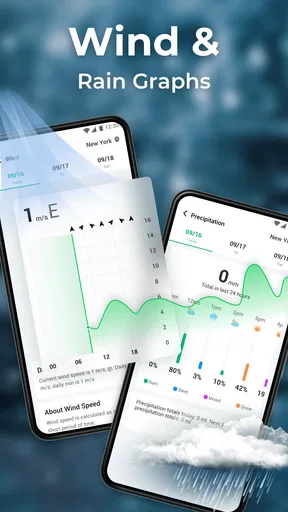
The trade-off is that simplicity can feel limiting to advanced users. People who regularly compare radar imagery, wind patterns, air quality, or detailed historical information should examine whether this app covers their preferred workflow before making it their only weather source. I would keep a more specialized service available for those situations rather than expecting a lightweight local forecast app to do everything.
Age, trust, and how I would introduce it
Because the content rating is Everyone, I would be comfortable treating it as suitable for a broad household audience. Younger users can understand the basic purpose quickly: look at the local conditions and decide what clothing or plans make sense. Still, age suitability does not remove the need for adult judgment. A child should not use a weather alert alone to decide whether it is safe to travel or play outside.
I would explain the app as a helpful information source, not an authority that guarantees what will happen. That lesson is valuable for adults too. Forecasts are tools for preparation, and alerts are reasons to pay attention. They should be combined with local awareness, official safety advice when conditions are serious, and communication with the people responsible for a child’s plans.
Trust also involves checking the location and the time period before sharing a forecast. A screenshot without context can be misleading, especially when it is sent hours after it was captured. In my household, I would rather say when I checked the forecast and what activity it relates to than forward an old image that may no longer represent the situation.
Performance expectations on older devices
The minimum operating-system requirement is Android 7.0, which makes the app accessible to many older Android phones and tablets. That is useful in a household where the newest device is not always the one placed in a common area. An older spare phone can still serve as a weather screen if it meets that requirement.
However, compatibility does not automatically guarantee the same experience on every device. Screen size, battery condition, notification behavior, and the general speed of an older phone can affect how convenient any weather app feels. I would test it on the actual shared device, especially if the plan is to leave it available for quick checks throughout the day.
I also prefer not to rely on a single device for urgent information. If someone is traveling or working outdoors, their own phone is a better personal reference than a tablet sitting at home. The shared device is excellent for household planning, while personal devices are better for people who need updates away from the house.
Who should use it and who should skip it
I would recommend this app to someone who wants a free, uncomplicated local forecast with a useful short planning window and extreme-weather awareness. It suits households that need a common weather reference, casual commuters, people arranging outdoor errands, and users who do not want to learn a complicated interface before checking the sky.
I would be more cautious about recommending it as the only weather tool for professional outdoor work, long-distance travel, or serious storm monitoring. Those users may need specialized maps, richer environmental information, or more detailed location comparisons. The same applies to anyone who expects extensive personalization and a large collection of advanced weather layers.
It is also not the right solution for household scheduling by itself. The app can inform a decision, but it does not replace a shared calendar or a conversation about who is responsible for a child, a pet, a delivery, or an outdoor task. Its value comes from fitting into that coordination, not from pretending to manage it.
My household verdict
After using Local Weather: Live & Hourly, I see it as a sensible everyday weather companion rather than a feature-heavy forecasting suite. Its combination of immediate conditions, a 72-hour outlook, daily planning, and extreme-weather alerts gives me enough information for most ordinary decisions. The free price and Everyone rating also make it easy to consider for a shared home, while support for Android 7.0 or later helps it fit older spare devices.
The best results come from using it deliberately: confirm the location, match the forecast period to the activity, check again when plans become important, and treat alerts as prompts for careful judgment. Those habits matter more than constantly watching the forecast. They also prevent a shared device from becoming a source of confusion when different people are planning different destinations.
My recommendation is simple: choose it if your household wants a clear local weather check without unnecessary complexity. I would pair it with another source when I need specialist storm information, detailed maps, or travel planning across several regions. Used within those boundaries, it earns a place on my phone because it turns a quick weather question into a practical decision without asking me to do much more.
Verdict
Strengths of Local Weather: Live & Hourly
- Clear hourly forecasts make short-term planning easier.
- Useful weather alerts help users prepare for changing conditions.
- Local forecasts are convenient when traveling between nearby areas.
- Simple layout makes key weather details quick to find.
- Supports checking conditions without needing a full weather website.
Limitations of Local Weather: Live & Hourly
- Forecast accuracy may vary depending on location and data coverage.
- Some advanced features may require a subscription or contain ads.
- Frequent notifications can feel excessive if not customized.
- Weather data may take time to update in areas with weak connectivity.
- Battery and data use may increase with location-based updates.
Other Releases by HLIMATE INNOVATIONS PRIVATE LIMITED
View All
Storage Clean - Quick & Secure
Productivity3.5
Similar Picks in This Category
View All
Weather - By Xiaomi
Xiaomi Inc.4.1

Weather & Radar Forecast
WetterOnline4.8

Weather
OneLouder Apps4.6

AccuWeather: Weather Radar
AccuWeather3.6

The Weather Channel - Radar
The Weather Channel4.6

1Weather Forecasts & Radar
OneLouder Apps4.3
Frequently Asked Questions
What is Local Weather: Live & Hourly?
Local Weather: Live & Hourly is a weather app designed to provide current conditions, hourly forecasts, and broader daily outlooks for locations you choose. It is useful for checking temperature, precipitation, wind, and other practical details before commuting, traveling, exercising, or planning outdoor activities. The exact information available may depend on your location, internet connection, and the app’s weather-data providers.
Does Local Weather: Live & Hourly provide accurate forecasts?
The app can offer helpful, frequently updated weather information, but no weather service can guarantee perfect accuracy. Forecast quality may vary according to your region, the available weather stations, changing conditions, and how far ahead you are checking. Short-term forecasts are generally more dependable than long-range predictions, so important travel or safety decisions should also be confirmed through official local weather alerts.
What permissions does the app require?
Local Weather: Live & Hourly may request location access so it can automatically display weather conditions and forecasts for your current area. You can usually choose whether to allow location access while using the app, allow background access, or enter a city manually, depending on your device and operating system. Review the permission prompt carefully and disable access if automatic location detection is not necessary.
Can I track multiple cities and receive weather alerts?
The app may allow you to save or monitor more than one location, which is convenient for checking the weather at home, work, or while traveling. Available alert features can vary by version, region, and device settings. If notifications are important to you, make sure they are enabled both inside the app and in your Android or iOS system settings, and remember that not every forecast change is an emergency warning.
Is Local Weather: Live & Hourly free to download and use?
The application may be available to download without an upfront charge, but free access can include advertisements, optional purchases, or premium features depending on the platform and current version. Before installing, check the official Google Play or App Store listing for subscription terms, in-app purchase details, and supported devices. If you start a trial or subscription, review the cancellation rules provided by your app store.
